QD BillBook GST billing that keeps your books, stock and returns in sync
A billing and accounting web app for Indian shops, wholesalers and service businesses. Every invoice updates the accounts, the stock and the GST reports in the same step, so the numbers always match.
14
document types
Quotation to credit note
8
GST slabs + cess
0% to 40%, date-effective
10
built-in reports
Incl. GSTR-1 & GSTR-3B
4
user roles
Including CA read-only
1
save, everything updated
Invoice, accounts, stock
The challenge
Small businesses run on spreadsheets that don't agree
Generic invoice tools print a bill and stop there. The accounts, the stock and the GST return are still done separately, and that is where the mistakes come from.
Tax maths done by hand
CGST, SGST or IGST? Price with or without GST? Rounding? In spreadsheets every invoice is a new chance to get the tax wrong.
Books and stock drift apart
Sales live in one file, payments in another and stock in a notebook. Nobody is sure who owes what, or what is really on the shelf.
Month-end GST scramble
Filing GSTR-1 means digging through invoices, credit notes and HSN codes by hand, usually the night before the deadline.
What we built
A tour of QD BillBook
Real screens from the app, shown with a demo business and sample data.
Bill as fast as you can type
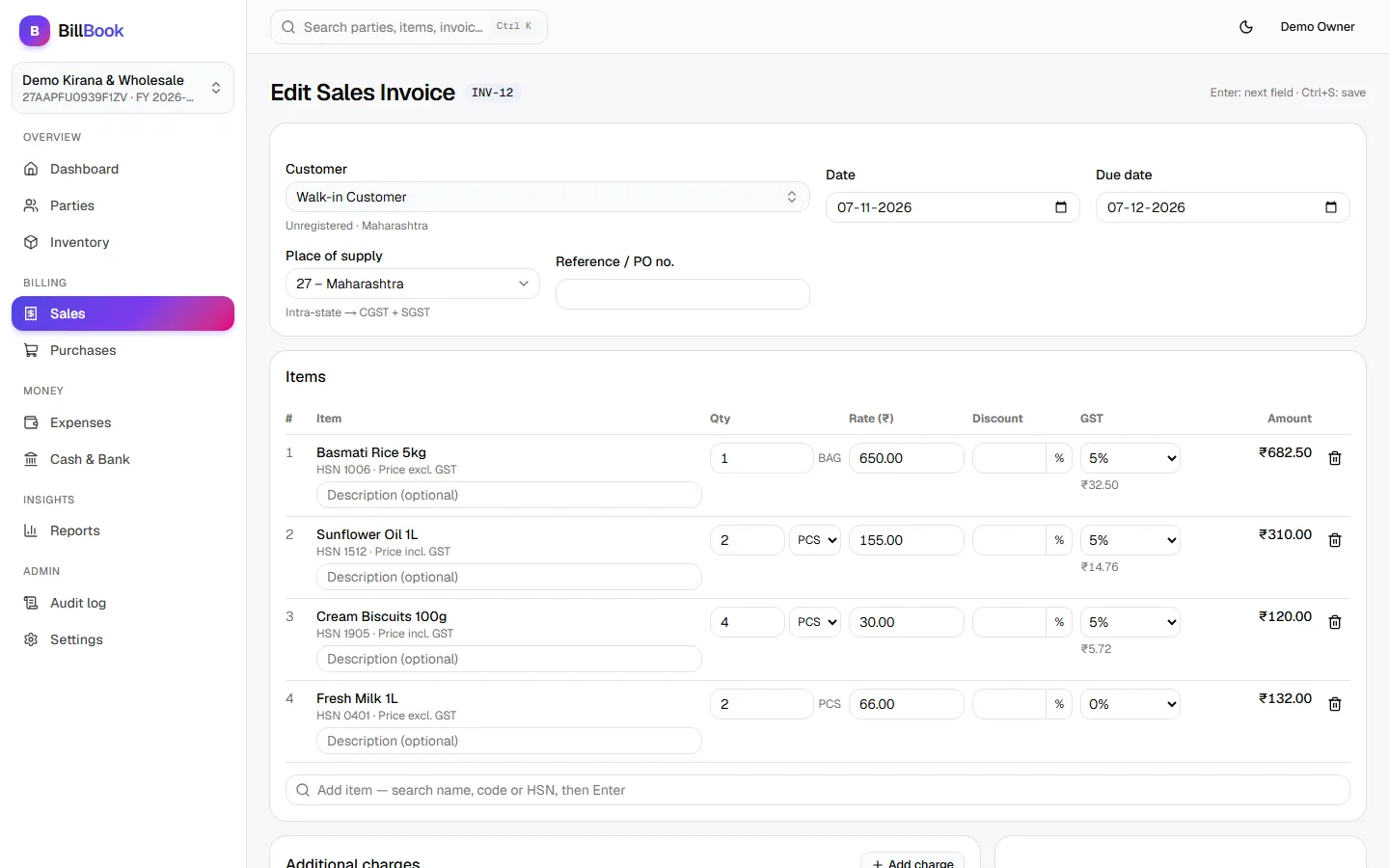
- Keyboard-first: search an item, press Enter, type qty and rate. Works with barcode scanners.
- GST calculates live per line, picking CGST + SGST or IGST from the place of supply.
- Prices with or without GST, discounts, extra charges, alternate units and round-off.
- Ctrl+S saves. Party price lists fill in rates automatically.
The whole business on one screen
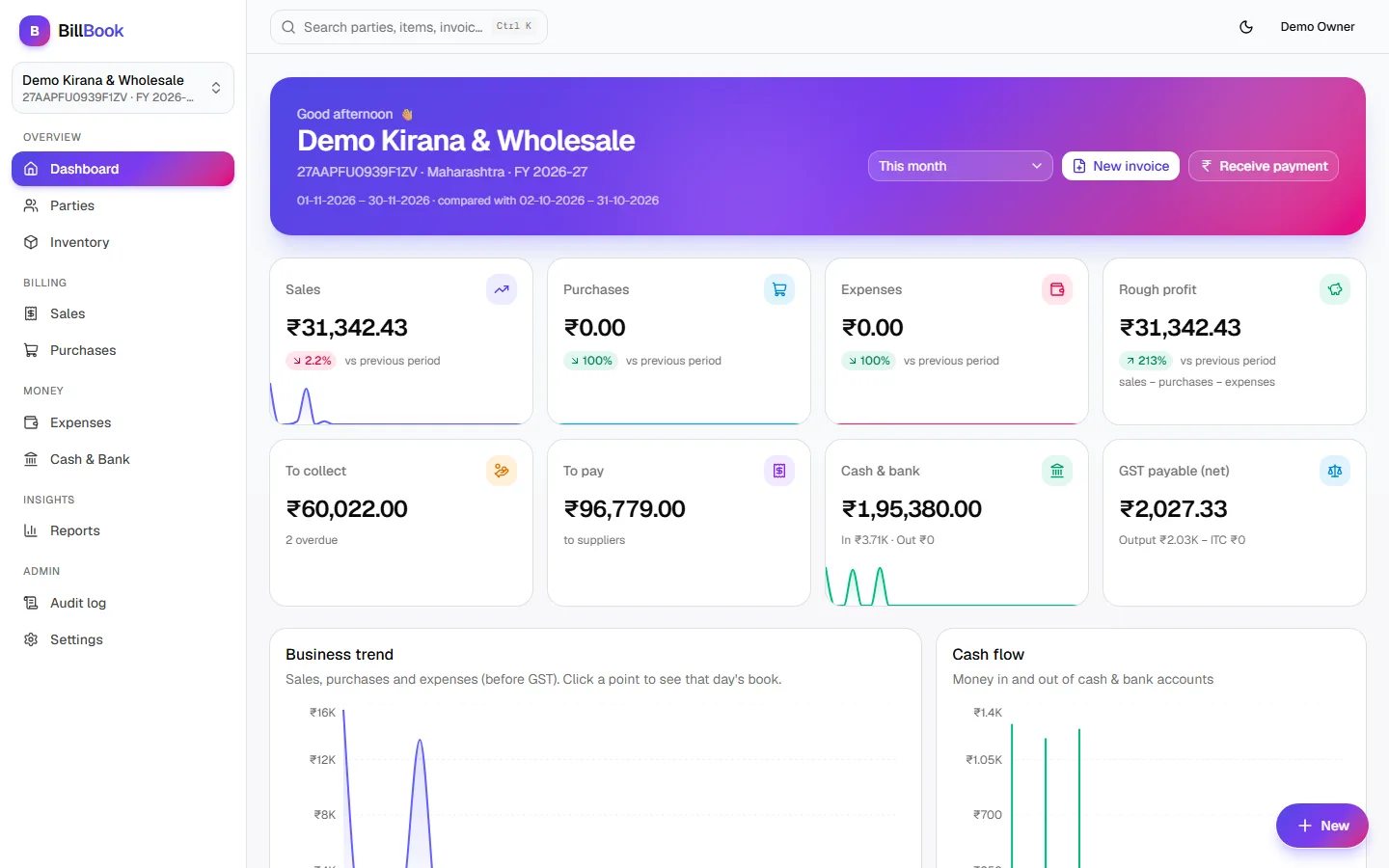
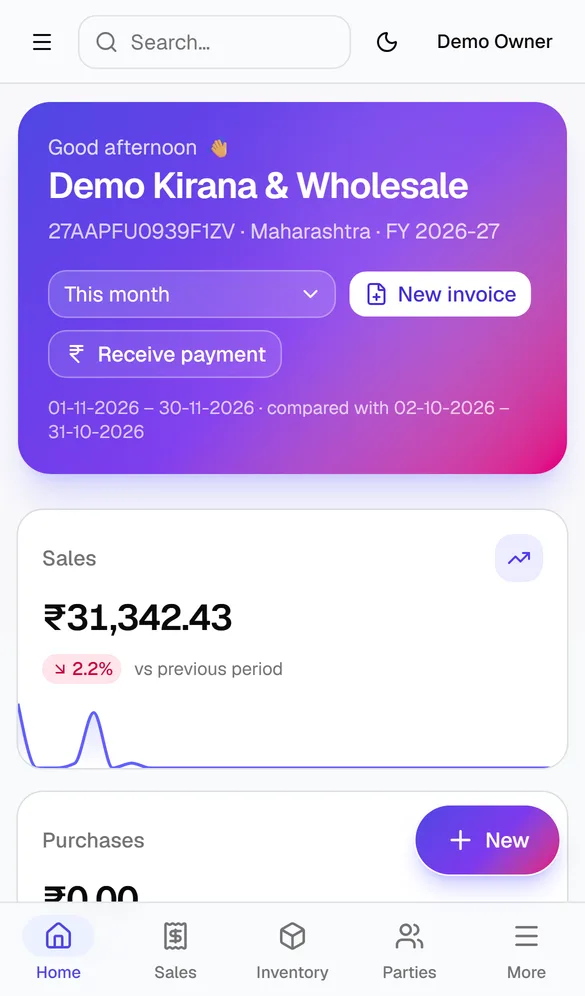
- Sales, purchases, expenses and rough profit, compared with the previous period.
- Money to collect, money to pay, cash and bank balance and net GST payable.
- Charts for business trend, cash flow, top customers and items.
- Click any number to drill into the report or the document behind it.
Stock that updates itself
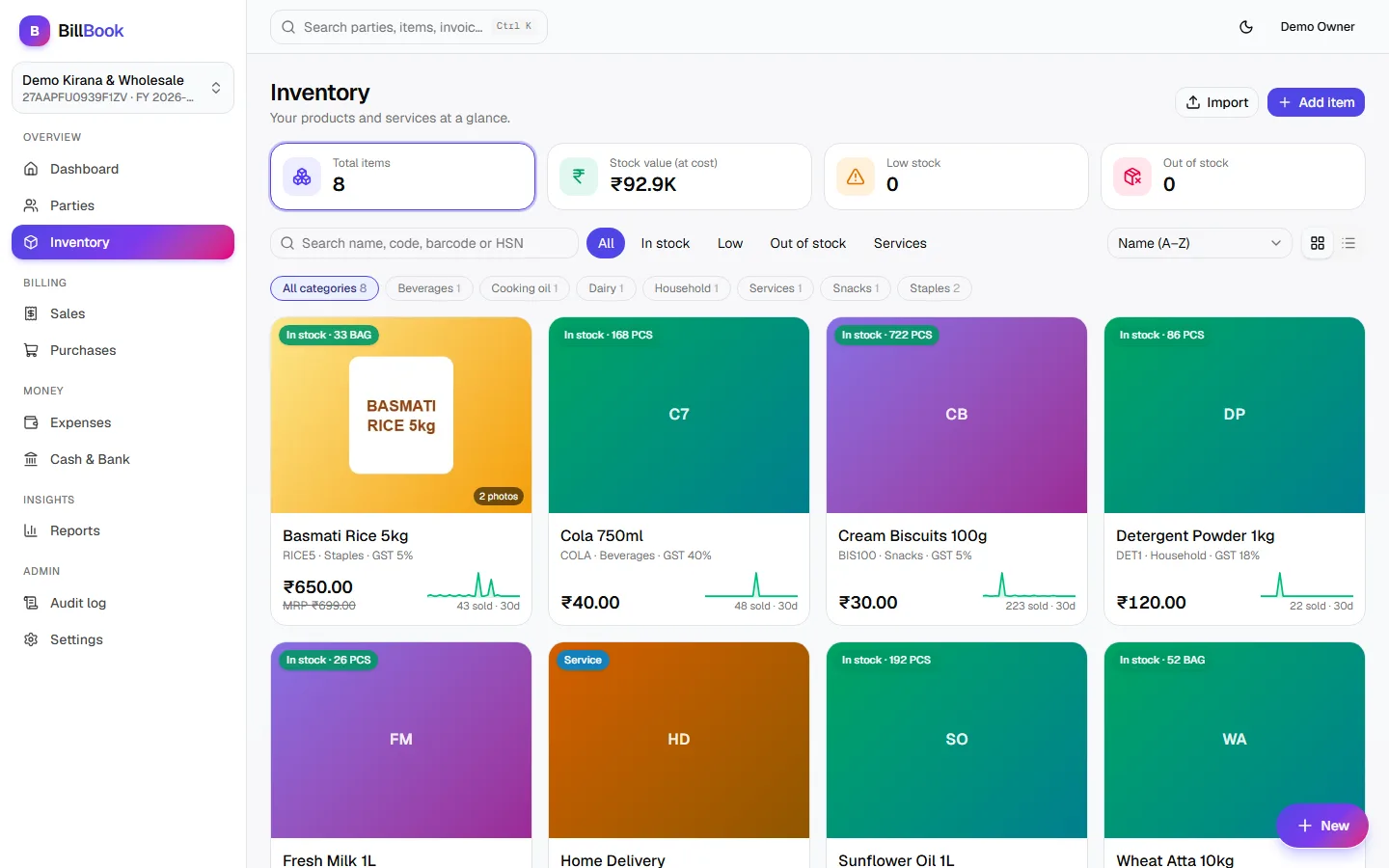
- Every invoice, purchase, challan and note moves stock. No separate entry.
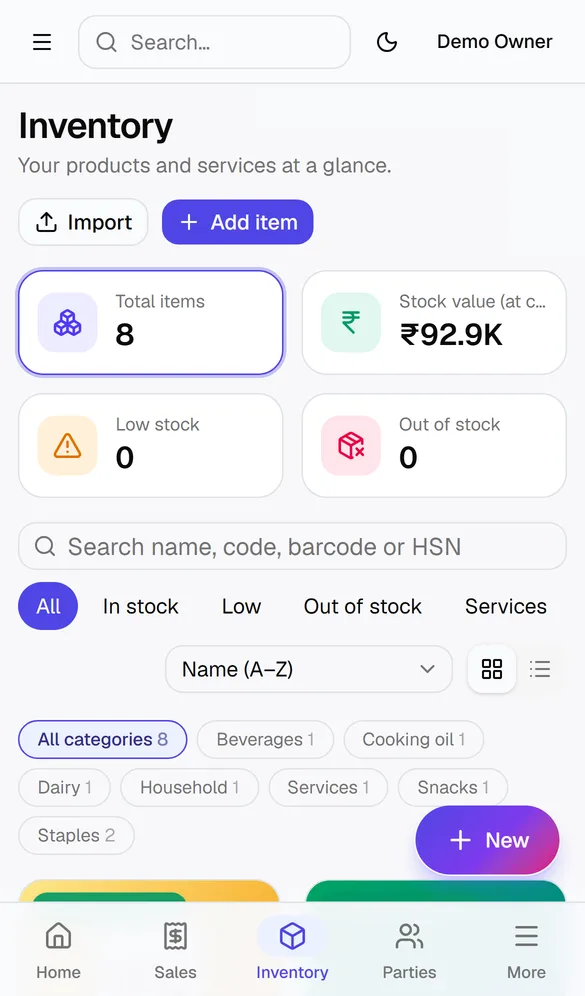
- Item photos, categories, HSN codes and low-stock alerts.
- Filter by in stock, low or out of stock, with 30-day sales trend per item.
- Import items and parties from Excel with a row-by-row check first.
GSTR-1 and GSTR-3B, ready when you are
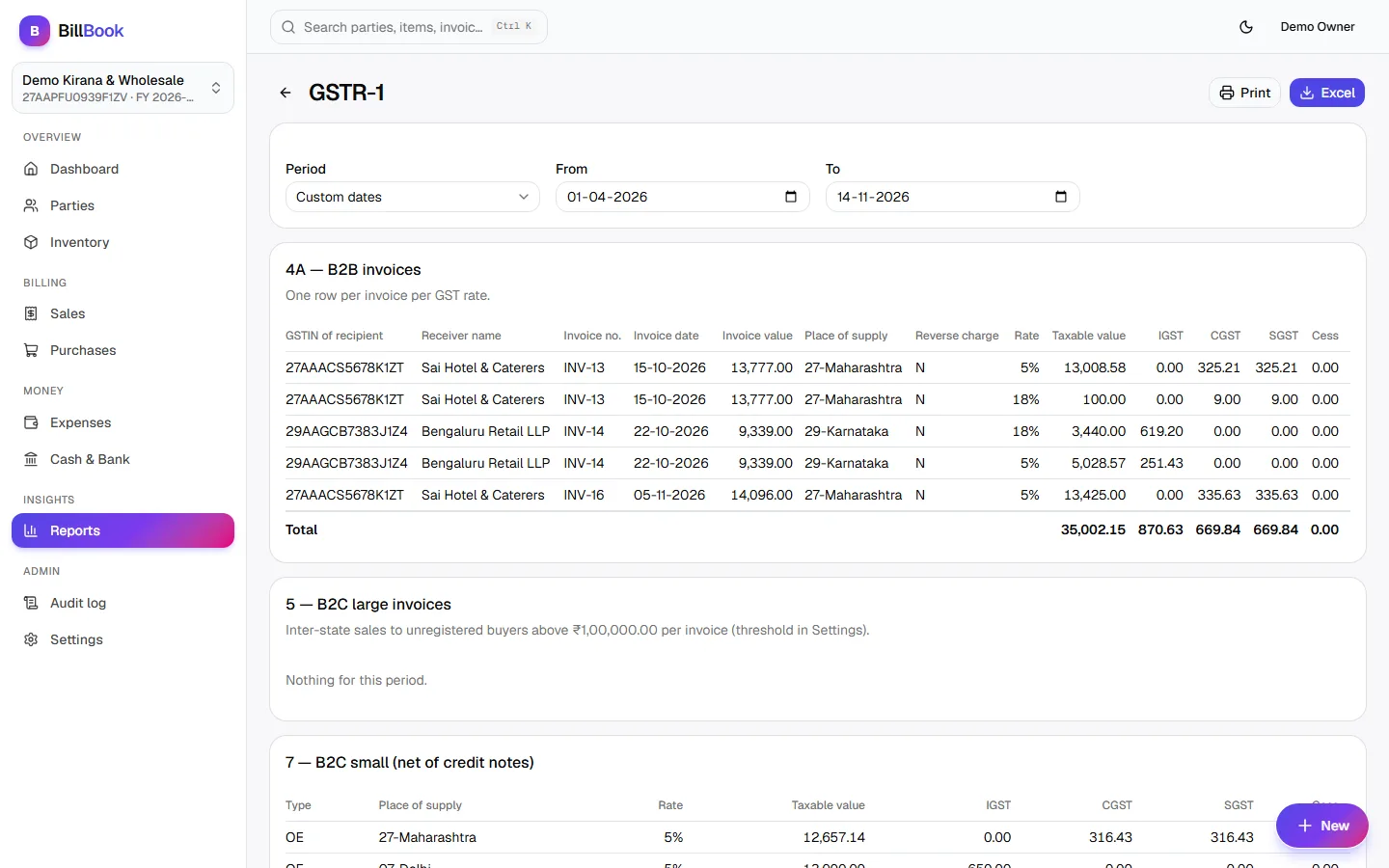
- GSTR-1 tables: B2B, B2C large and small, credit/debit notes, HSN summary and documents issued.
- GSTR-3B summary with output tax and input tax credit.
- Sales and purchase registers, day book, party statements, ageing and stock reports.
- Every report exports to Excel or prints in one click.
Invoices your customers trust
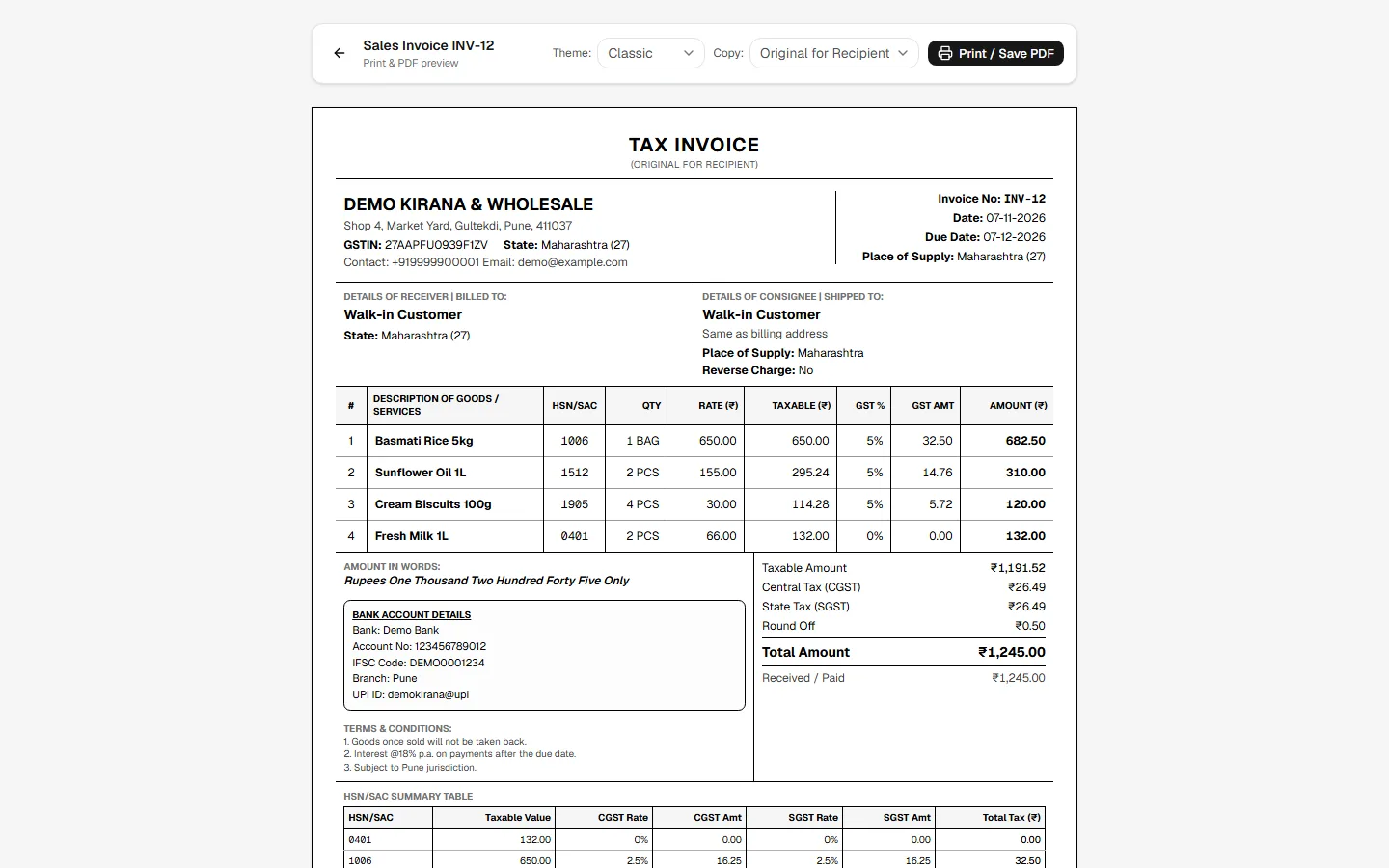
- GST-format tax invoice with HSN/SAC summary and amount in words.
- Three print themes, and Original / Duplicate / Triplicate copies.
- UPI QR code for the balance due, so customers can pay on the spot.
- Draft and cancelled documents print with a clear watermark.
One document flows into the next
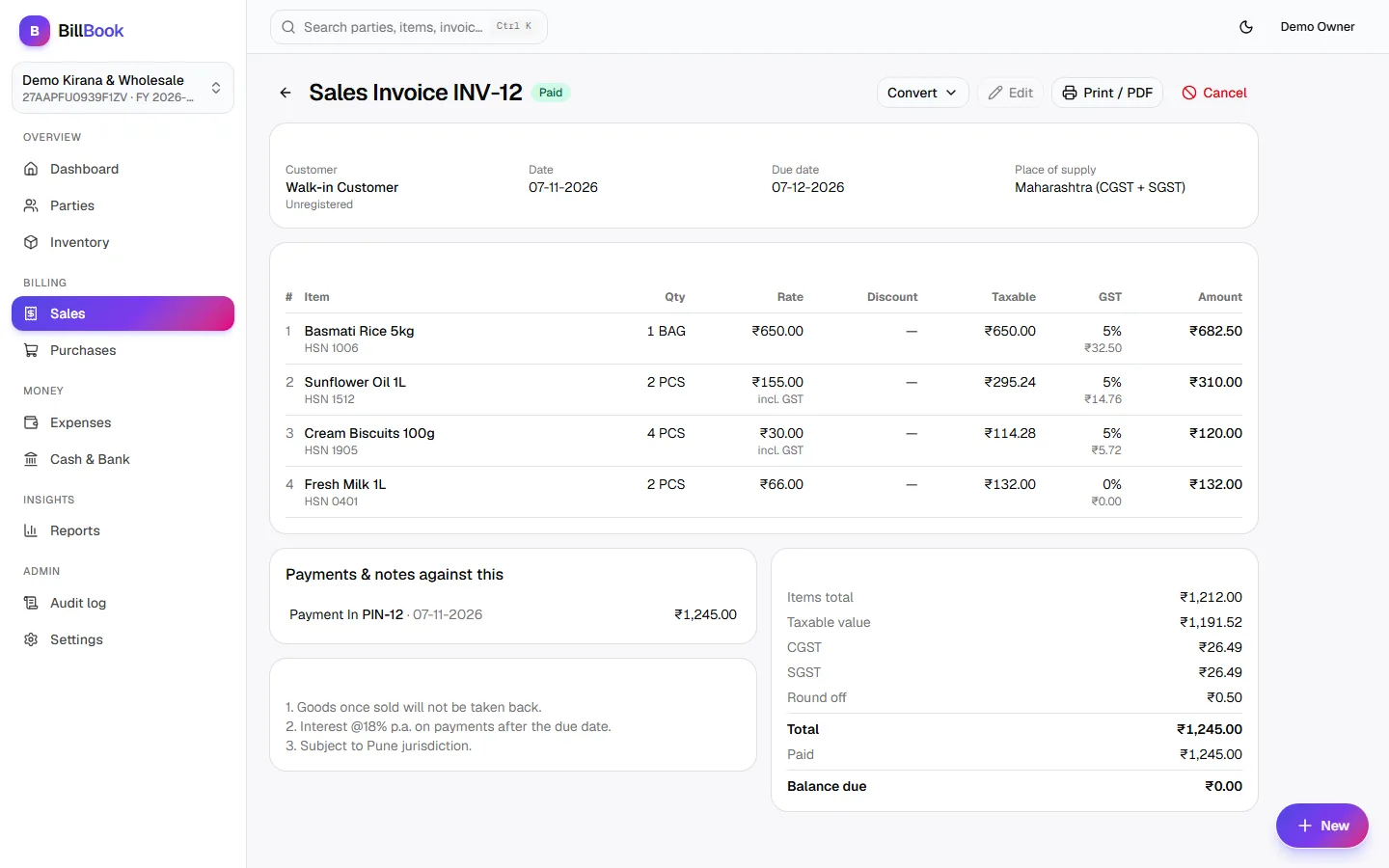
- Convert a quotation to an order, a challan or an invoice without retyping.
- See payments and notes recorded against each invoice, and what is still due.
- Cancel safely: the document keeps its number and reversing entries are written.
- Quick-view drawers open any party or document without leaving the list.
Document flow
From first quote to final payment, nothing is typed twice
Each document converts into the next and stays linked to it. A challan moves stock once; the invoice made from it knows not to move it again.
Sales
- 1Quotation
- 2Sales order
- 3Delivery challan
- 4Sales invoice
- 5Payment in
- 6Credit note
Purchases
- 1Purchase order
- 2Purchase invoice
- 3Payment out
- 4Debit note
Plus proforma invoices, bills of supply for composition dealers, expenses and stock adjustments: 14 document types in all.
Under the hood
Why the numbers always match
Billing software is only useful if you can trust it. These are the rules built into the core of QD BillBook.
Money stored in paise
Amounts are whole paise, never decimals, so totals never drift by a paisa.
All or nothing saves
One save writes the invoice, the double-entry accounts and the stock together. If any part fails, none of it is saved.
No gaps in invoice numbers
Numbers run per series and per financial year with no gaps or duplicates, as GST requires.
Each business kept separate
One login can run several businesses. A safety check blocks any query that could read another business's data.
Full audit trail
Every create, edit and cancel is logged with who did it and what changed, field by field.
Balances you can rebuild
Party balances and stock are worked out from the entries themselves, so they can always be recalculated and checked.
Teams & security
The right access for everyone
Sign in with a mobile number and one-time password. Each person sees and does only what their role allows.
Owner
Full control, including closing and reopening financial years.
Admin
Runs the business day to day and manages team members.
Biller
Creates invoices and records payments. Nothing more.
CA (read-only)
Invite your accountant to see books and GST reports, with no way to change them.
Works on the phone too
Technology
Built with
Frontend
Backend
Quality
Status
Where QD BillBook is today
The billing core is built and covered by automated tests. These are the next pieces before launch.
Built and tested
- All 14 document types, with conversions
- Purchases, expenses, cash & bank
- Inventory with photos and Excel import
- 10 reports incl. GSTR-1 & GSTR-3B, Excel export
- Print with UPI QR, three themes
- Roles, audit log, financial-year closing
- Phone layout with bottom tab bar
Coming next
- 80 mm thermal receipt printing
- Shareable invoice links
- Logo and signature on invoices
- GSTR-1 JSON for direct portal upload
FAQ
Common questions
Is QD BillBook GST compliant?
Yes. It handles all GST slabs and cess, chooses CGST + SGST or IGST from the place of supply, keeps invoice numbers gap-free per financial year, prints GST-format tax invoices with an HSN summary, and prepares GSTR-1 and GSTR-3B reports.
Can my CA see the books?
Yes. You can invite your accountant with a read-only role. They can open every report and document but cannot create, edit or cancel anything.
Can I manage more than one business?
Yes. One login can own or join several businesses, each with its own GSTIN, invoice series, team and data.
Can I bring in my existing items and customers?
Yes. Download the Excel template, fill it in and upload it. QD BillBook checks every row and column first and shows exactly what will be imported.
Can QDCODEX customise it for my business?
Yes. We can add your branding, invoice layouts, reports or workflow changes, or build a billing system around how your business works.
Need billing built around your business?
We can set up QD BillBook with your branding, or build custom billing, inventory and GST software for the way you work.