DIGITAL MARKETING BLOG
How to Build a Professional Website for Your Business in 2026
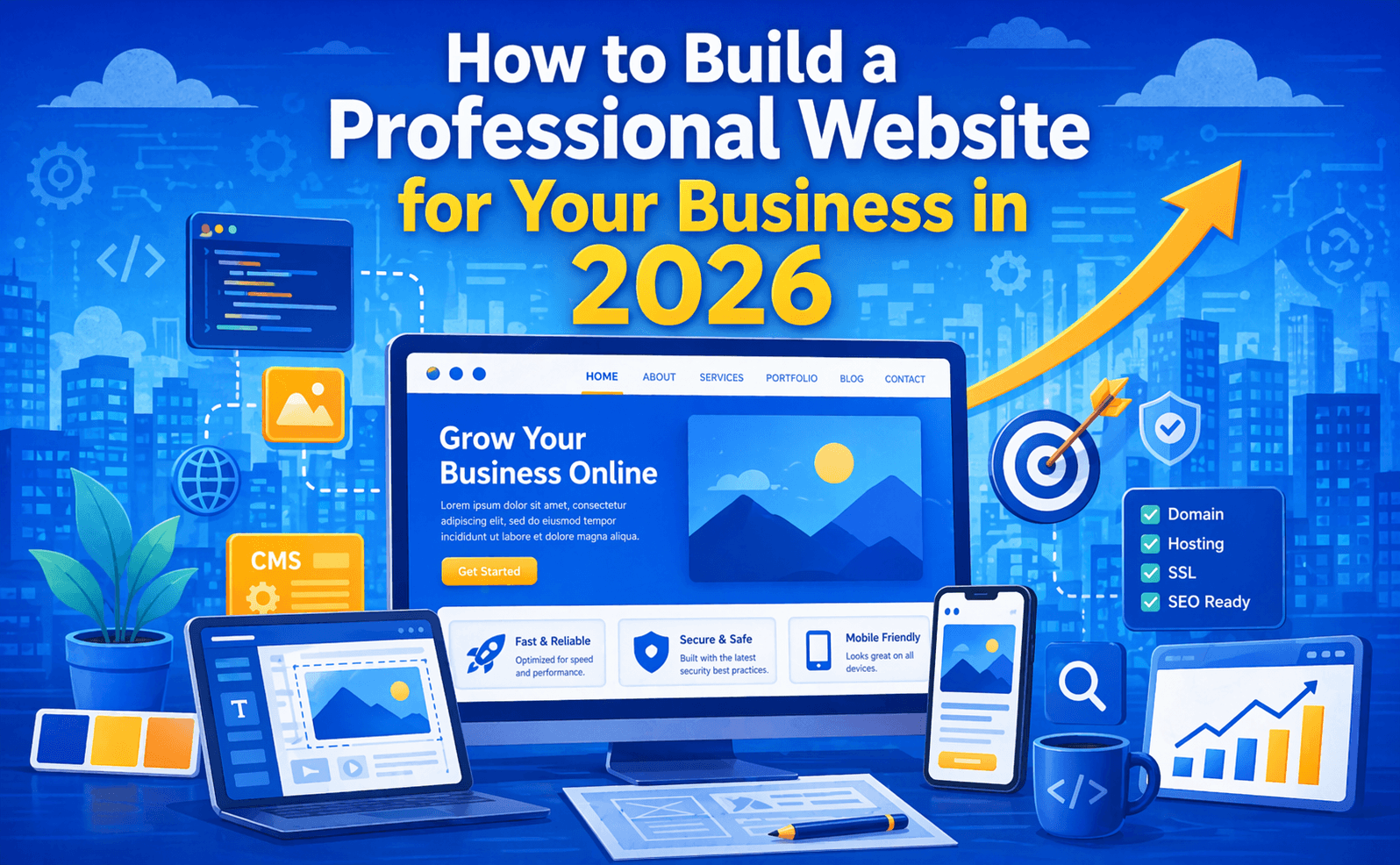
In 2026, your website is your most powerful business asset.
Whether you are a startup, a small business, or an established brand, a professional website builds credibility, attracts customers, and generates leads around the clock — even while you sleep.
But building a website that actually works for your business is more than just picking a template and writing some text. It requires a clear strategy, the right technology, and attention to design, performance, and SEO.
This complete guide walks you through every step of building a professional business website in 2026 — from choosing a domain name to launching and growing your online presence.
Step 1: Define Your Website Goals
Before writing a single line of code or choosing a template, you need to answer one key question: What do you want your website to do?
Every business website serves a different purpose:
- Lead generation — Capture inquiries and contact form submissions
- E-commerce — Sell products or services directly online
- Brand awareness — Establish your company's credibility and identity
- Portfolio showcase — Display your work, case studies, and achievements
- Support & information — Provide FAQs, documentation, or resources for existing customers
Once you define your goal, every decision — design, content, structure — becomes easier and more focused.
Questions to Ask Before You Start
- Who is your target audience?
- What action do you want visitors to take when they land on your website?
- What pages do you need (Home, About, Services, Blog, Contact)?
- Do you need e-commerce functionality?
- What is your budget and timeline?
Step 2: Choose the Right Domain Name
Your domain name is your online address (e.g., qdcodex.in). It is one of the first things people notice — so choose it carefully.
Tips for Choosing a Great Domain Name
- Keep it short and memorable — Aim for 2–3 words maximum
- Use your brand name — Your domain should match your business name
- Choose the right extension —
.comis universal;.infor India-based businesses;.cofor startups - Avoid numbers and hyphens — They are hard to remember and type
- Make it easy to spell — If people can't spell it, they can't find you
Where to Register Your Domain
- GoDaddy
- Namecheap
- Google Domains
- BigRock (popular in India)
Domain registration typically costs ₹700–₹1,500 per year depending on the extension.
Step 3: Select the Right Hosting
Web hosting is the server where your website files are stored and served to visitors. The right hosting directly impacts your website speed, uptime, and security.
Types of Web Hosting
| Hosting Type | Best For | Approx. Cost (per year) |
|---|---|---|
| Shared Hosting | Small websites, blogs | ₹2,000 – ₹5,000 |
| VPS Hosting | Growing businesses with traffic | ₹5,000 – ₹20,000 |
| Cloud Hosting | Scalable, high-traffic sites | ₹8,000 – ₹30,000 |
| Managed WordPress | WordPress sites | ₹5,000 – ₹25,000 |
| Dedicated Server | Large enterprise websites | ₹30,000+ |
Recommended Hosting Providers
- Hostinger — Affordable, fast, great for small businesses
- SiteGround — Excellent support and performance
- AWS / Google Cloud — Enterprise-grade cloud hosting
- Vercel / Netlify — Perfect for modern frameworks like Next.js
Key Hosting Features to Look For
- 99.9% uptime guarantee
- Free SSL certificate (HTTPS)
- Daily backups
- CDN (Content Delivery Network) support
- 24/7 customer support
Step 4: Choose the Right Technology Stack
In 2026, there are more ways to build a website than ever before. Choosing the right technology depends on your budget, business needs, and long-term goals.
Option 1 — Website Builders (No Coding Required)
Best for: Small businesses, solopreneurs, quick launches
- Wix — Drag-and-drop builder, easy to use
- Squarespace — Beautiful templates, great for portfolios and brands
- Shopify — Best for e-commerce stores
- Webflow — Powerful visual builder with clean code output
Pros: Fast to launch, no coding needed, affordable Cons: Limited customization, harder to scale, may have SEO limitations
Option 2 — WordPress (CMS-Based)
Best for: Blogs, content-heavy sites, small to medium businesses
WordPress powers over 43% of all websites on the internet. It offers thousands of themes and plugins for virtually any feature.
Pros: Highly flexible, large community, great for SEO, affordable Cons: Requires regular updates and security maintenance, can get slow without optimization
Option 3 — Custom Web Development
Best for: Businesses that need unique features, high performance, or complex functionality
Frameworks like Next.js, React, Vue.js, or Laravel allow developers to build fully custom, high-performance websites tailored exactly to your business needs.
Pros: Unlimited customization, blazing-fast performance, best SEO capabilities, fully scalable Cons: Higher cost, requires a professional developer
For businesses serious about growth, custom development with Next.js offers the best performance, SEO scores, and long-term scalability.
Step 5: Plan Your Website Structure
A well-planned website structure improves user experience and helps search engines understand your content.
Essential Pages for a Business Website
| Page | Purpose |
|---|---|
| Home | First impression — explain what you do and why visitors should care |
| About Us | Build trust — share your story, team, and values |
| Services / Products | Detail what you offer — one page per service works best for SEO |
| Portfolio / Case Studies | Show proof of your work and results |
| Blog | Drive organic traffic through SEO content |
| Contact | Make it easy for visitors to reach you |
| Testimonials / Reviews | Build credibility with social proof |
| FAQ | Answer common questions and support SEO |
Design Your Navigation
Keep your navigation simple and logical:
- Limit main menu items to 5–7 links
- Use clear, descriptive labels (not clever ones)
- Include a prominent Call-to-Action (CTA) button in the header (e.g., "Get a Quote", "Contact Us")
- Ensure your logo links back to the home page
Step 6: Design a Professional Website
Your website design creates the first impression. Studies show that visitors form an opinion about your website in under 0.05 seconds — before they even read a word.
Key Design Principles
Consistency Use a consistent color palette (2–3 primary colors), typography (2 fonts maximum), and design style across all pages.
Whitespace Don't overcrowd your pages. Whitespace (empty space) makes content easier to read and gives your design a premium, professional feel.
Visual Hierarchy Guide the user's eye from the most important element to the least. Use size, color, and position to establish hierarchy.
Mobile-First Design Over 60% of web traffic comes from mobile devices. Design for mobile first, then scale up to desktop. Your layout, fonts, and buttons must all work perfectly on small screens.
Fast Load Times A slow website loses visitors and rankings. Optimize every design element for speed:
- Use WebP format for images
- Lazy load images below the fold
- Minimize CSS and JavaScript
Colors and Branding
Choose a color palette that reflects your brand personality:
- Blue — Trust, professionalism (tech, finance, health)
- Green — Growth, nature, wellness
- Orange / Red — Energy, urgency, action (food, e-commerce)
- Black / White — Luxury, minimalism, sophistication
Use your brand colors consistently across your website, social media, and marketing materials.
Step 7: Write Compelling Website Content
Great design gets attention — but great content converts visitors into customers.
Home Page Content
Your home page has one job: clearly communicate what you do and why visitors should choose you.
- Headline — State your value proposition clearly (e.g., "We Build Websites That Grow Your Business")
- Subheading — Expand with one sentence of context
- CTA Button — Tell users exactly what to do next ("Get a Free Quote")
- Social Proof — Add client logos, star ratings, or a key statistic
- Services Overview — Brief summary of what you offer
- About Us Snippet — A few lines about your company with a link to the About page
Service Page Content
Each service page should:
- Target a specific keyword (e.g., "web development company in Chennai")
- Explain the service clearly with benefits, not just features
- Include testimonials or case studies relevant to that service
- End with a strong CTA
About Us Page Content
- Tell your company story — why you started, what you stand for
- Introduce your team with photos and names
- Share your mission, values, and achievements
- Include a CTA to contact or work with you
Content Writing Tips
- Write in clear, simple language — avoid jargon
- Use short paragraphs (2–3 sentences maximum)
- Include bullet points and headings to break up text
- Naturally use your target keywords without stuffing
- Always end pages with a clear Call-to-Action
Step 8: Optimize for SEO from Day One
Building your website with SEO in mind from the start saves enormous effort later.
On-Page SEO Basics
- Title Tags — Include target keywords, keep under 60 characters
- Meta Descriptions — Write compelling descriptions (150–160 characters) for every page
- Heading Structure — Use one H1 per page, H2/H3 for sections
- Image Alt Text — Describe every image with relevant keywords
- URL Structure — Use clean, keyword-rich URLs (
/web-development-chennainot/page?id=12) - Internal Links — Link between related pages and blog posts
Technical SEO Essentials
- Install an SSL certificate (HTTPS) — mandatory for security and SEO
- Create and submit an XML sitemap to Google Search Console
- Configure your robots.txt file correctly
- Ensure your website is mobile-friendly (test with Google's Mobile-Friendly Test)
- Optimize for Core Web Vitals (LCP, INP, CLS)
Local SEO
If you serve a specific area, local SEO is essential:
- Create a Google Business Profile (free)
- Use location-based keywords throughout your site
- Add your business Name, Address, Phone (NAP) consistently everywhere
- Collect and respond to Google Reviews
Step 9: Add Essential Website Features
A professional business website needs more than just pages. Here are the essential features every business website should have:
Must-Have Features
- ✅ Contact Form — Easy for visitors to reach you without leaving the site
- ✅ Live Chat or WhatsApp Button — Instant communication increases conversions
- ✅ Google Analytics — Track visitor behavior and traffic sources
- ✅ Google Search Console — Monitor search performance and fix issues
- ✅ SSL Certificate — Secure your site and build visitor trust
- ✅ 404 Error Page — Custom page for broken links that guides users back
- ✅ Cookie Consent Banner — Required for GDPR compliance
- ✅ Social Media Links — Connect your website to your social profiles
- ✅ Testimonials Section — Display client reviews and ratings
- ✅ Blog Section — Regularly publish SEO content to drive organic traffic
Nice-to-Have Features
- 🌟 Chatbot / AI Assistant — Automate FAQs and lead qualification
- 🌟 Newsletter Signup — Build your email list for marketing
- 🌟 Portfolio / Case Studies Gallery — Showcase your work with before/after results
- 🌟 Booking / Appointment System — Let visitors book directly from your website
- 🌟 Video Background or Explainer Video — Increase engagement on the home page
Step 10: Test Everything Before Launch
Never launch a website without thorough testing. A buggy website damages your credibility and costs you leads.
Pre-Launch Checklist
Functionality
- All links work correctly (no broken links)
- Contact forms submit and deliver emails
- All pages load without errors
- CTAs buttons work and point to the right pages
Design & Responsiveness
- Website looks great on desktop, tablet, and mobile
- Images display correctly on all screen sizes
- Fonts and colors are consistent across all pages
- No layout issues on different browsers (Chrome, Firefox, Safari, Edge)
Performance
- Page speed tested on Google PageSpeed Insights (aim for 90+ score)
- All images are compressed and optimized
- No unused CSS or JavaScript slowing the site
SEO
- All pages have unique title tags and meta descriptions
- Images have alt text
- XML sitemap submitted to Google Search Console
- Google Analytics tracking code installed
Security
- SSL certificate active (HTTPS)
- Admin login protected with strong password
- Backup system in place
Step 11: Launch and Promote Your Website
Launch day is just the beginning. A website with no traffic is like a shop with no footfall.
Post-Launch Promotion Strategy
Search Engine Submission
- Submit your sitemap to Google Search Console
- Submit to Bing Webmaster Tools
Social Media Announcement
- Announce your website launch on all social platforms
- Share specific pages and blog posts regularly
Google Business Profile
- Add your website URL to your Google Business Profile
- Start collecting reviews from happy customers
Email Marketing
- Announce the launch to your existing contacts
- Include your website link in every email signature
Content Marketing
- Publish blog posts regularly targeting SEO keywords
- Share content on LinkedIn, Instagram, and Facebook
Directory Listings
- Submit your business to Justdial, Sulekha, IndiaMart, and other directories
- Ensure your NAP details are consistent everywhere
How Much Does It Cost to Build a Business Website in India?
| Website Type | Estimated Cost |
|---|---|
| DIY Website Builder (Wix, Squarespace) | ₹5,000 – ₹15,000/year |
| WordPress Website (Freelancer) | ₹15,000 – ₹50,000 |
| WordPress Website (Agency) | ₹30,000 – ₹1,00,000 |
| Custom Website (Freelancer) | ₹40,000 – ₹1,50,000 |
| Custom Website (Agency) | ₹75,000 – ₹5,00,000+ |
| E-commerce Website | ₹50,000 – ₹3,00,000+ |
Pricing varies based on number of pages, features, design complexity, and whether you hire a freelancer or a professional agency.
Common Website Mistakes to Avoid
- ❌ No clear Call-to-Action — Visitors don't know what to do next
- ❌ Slow loading speed — Every extra second costs you visitors and rankings
- ❌ Not mobile-friendly — Over half your visitors are on mobile
- ❌ Poor quality content — Thin content fails to rank or convert
- ❌ Ignoring SEO — A beautiful website no one can find is useless
- ❌ No analytics setup — You can't improve what you don't measure
- ❌ Outdated design — An old-looking website damages trust and credibility
- ❌ No SSL certificate — Visitors see "Not Secure" warning and leave
- ❌ Broken contact forms — You lose every lead that tries to contact you
Final Thoughts
Building a professional website in 2026 is one of the best investments you can make for your business.
A well-designed, fast, and SEO-optimized website works for you 24 hours a day, 7 days a week — attracting visitors, building trust, and converting them into paying customers.
Follow the steps in this guide — define your goals, choose the right technology, design for your audience, optimize for SEO, and launch with a promotion strategy — and your website will become your most powerful sales tool.
Looking for a professional web development team to build your business website? QDCODEX specializes in high-performance, SEO-optimized website development for businesses in Chennai and across India.
From custom Next.js websites to full digital marketing solutions, we help businesses grow online. Contact us today for a free consultation and let's build something great together.
Want More Leads from Google?
Grow your online business with expert SEO & digital marketing.
Get Free QuoteQDCODEX Team
Experts in SEO & Digital Marketing in Chennai
Ready to Grow Your Online Business?
We help businesses rank on Google and generate leads.
Get Free Consultation